PR #9693 review: workspace moves carry Claude terminals; Move submenu
Summary
The PR does two things. First, a workspace move now takes Claude Code TUIs that run in terminals, not only chat panes. The source host stops each TUI, uploads its session file as a transfer attachment, and the destination starts claude --resume in a new terminal. A terminal that does not arrive starts again on the source. Second, the two move dialogs are replaced by a Move submenu (Cloud → environment, Another computer → computer) that starts the move immediately. The API also lets a cloud box call attachment.createUpload.
Verdict
Needs changes
The design is sound and the menu works, but teleport.prepareWorkspace now stops Claude terminals for every caller. A desktop that does not know about terminal moves loses those TUIs, and nothing restarts them. Make it opt-in, as the tRPC compatibility rules require.
Findings
packages/host-service/src/trpc/router/teleport/teleport.ts:207 and :239: prepareWorkspace changes behaviour for existing callers.
Desktops released before this PR call prepareWorkspace({ workspaceId, stopIfBusy: true }) and ignore the new terminals output. On a host with this PR, the call now ends every Claude TUI that has a session (stopTerminalsForMove), marks it disposed, and uploads it. The old desktop never calls importTerminalSession or releaseTerminals, so the TUI is gone on the source and never appears on the destination. The user must find the session and run claude --resume by hand.
This happens whenever the source host is newer than the desktop that starts the move. Examples: a cloud box on the latest host-service moved by a user on an older desktop, or another computer that updated first. packages/host-service/AGENTS.md says hosts and clients are skewed in both directions. .agents/skills/trpc-compat says a behaviour change needs "a new optional input that opts in (absent keeps the old behavior)".
Fix: add moveTerminals: z.boolean().optional() to the input. Only list, busy-check, stop and pack terminals when it is true, and have the two move hooks pass it. Without the flag, the busy check also stops counting terminals, so old clients get the old error behaviour too.
.../WorkspaceMoveMenu/hooks/useStartWorkspaceMove/useStartWorkspaceMove.ts:68 and :98: one click stops working agents, with no confirmation.
The dialog was the only place that said "agents that are working stop first". Now a single click on a destination in a right-click menu starts the move with stopIfBusy: true (useMoveWorkspaceToCloud.ts:103, useMoveWorkspaceToComputer.ts:131). With this PR, that also kills a TUI in the middle of a turn. A misclick in a menu next to Rename and Copy has a high cost.
Fix: call prepareWorkspace without stopIfBusy first. When it returns the busy error, show a short confirmation (an alert dialog or a toast action, "Stop agents and move"). If nothing is busy, the move still starts at once.
packages/host-service/src/trpc/router/teleport/terminal-sessions.ts:148 and :159: a terminal that fails to stop keeps a disposed binding.
markTerminalDisposed runs before disposeSessionAndWait. When the daemon close fails, the terminal is reported as "failed" and stays on the source, but its agent binding is already ended. The TUI keeps running, but status dots and resume tracking no longer follow it until a new hook event comes in.
Fix: when daemonCloseSucceeded is false, restore the binding (or re-register it from the snapshot taken before the call).
apps/desktop/.../utils/handOffTerminals/handOffTerminals.ts:84 and :117: errors that will not go away are retried for 10 minutes.
On the cloud path, every error except a missing procedure, PRECONDITION_FAILED or BAD_REQUEST is retried 120 times, 5 s apart. A download or placement failure on the box (INTERNAL_SERVER_ERROR, a hash mismatch, a full disk) will fail the same way each time. The source TUI stays stopped for the whole 10 minutes before it is released.
Fix: keep retrying only while the box cannot be reached or the workspace is not there yet (connect() throws, or NOT_FOUND). Treat any other answer from importTerminalSession as final after one or two tries.
packages/host-service/src/trpc/router/teleport/terminal-sessions.ts:73: terminals past the 20th are dropped without a report.
movable.slice(0, MAX_MOVED_TERMINALS) leaves the rest running on the source, but they are not in skippedTerminals, so the toast does not say they stayed.
Fix: add the extra terminals to skippedTerminals with a reason such as "limit".
Checked and fine: the error paths in prepareWorkspace (snapshot push failure, all chats failing, pack failure) all resume stopped terminals, and stoppedForMove prevents a second resume. importTerminalSession returns the same result for a repeated call. Allowing attachment.createUpload for boxes keeps resolve scoped to the org, and the sweep reclaims transfer rows after a day. The i18n catalogs are updated for all locales.
Evidence
Desktop dev build at ef20b1ae, run in this cloud workspace (Xvfb, renderer on localhost:3005, CDP on port 19222), signed in to the local API. I used real right-clicks and hovers over CDP. Setup: I turned on the workspace-moves and cloud-workspaces PostHog flags in the renderer (the local key is a placeholder), imported /workspace as a project on the local host-service, and adopted a scratch worktree as the local workspace "Move menu review test". I did not click a destination, because a move pushes a snapshot branch to the real GitHub remote.
Sidebar right-click menu, cloud workspace
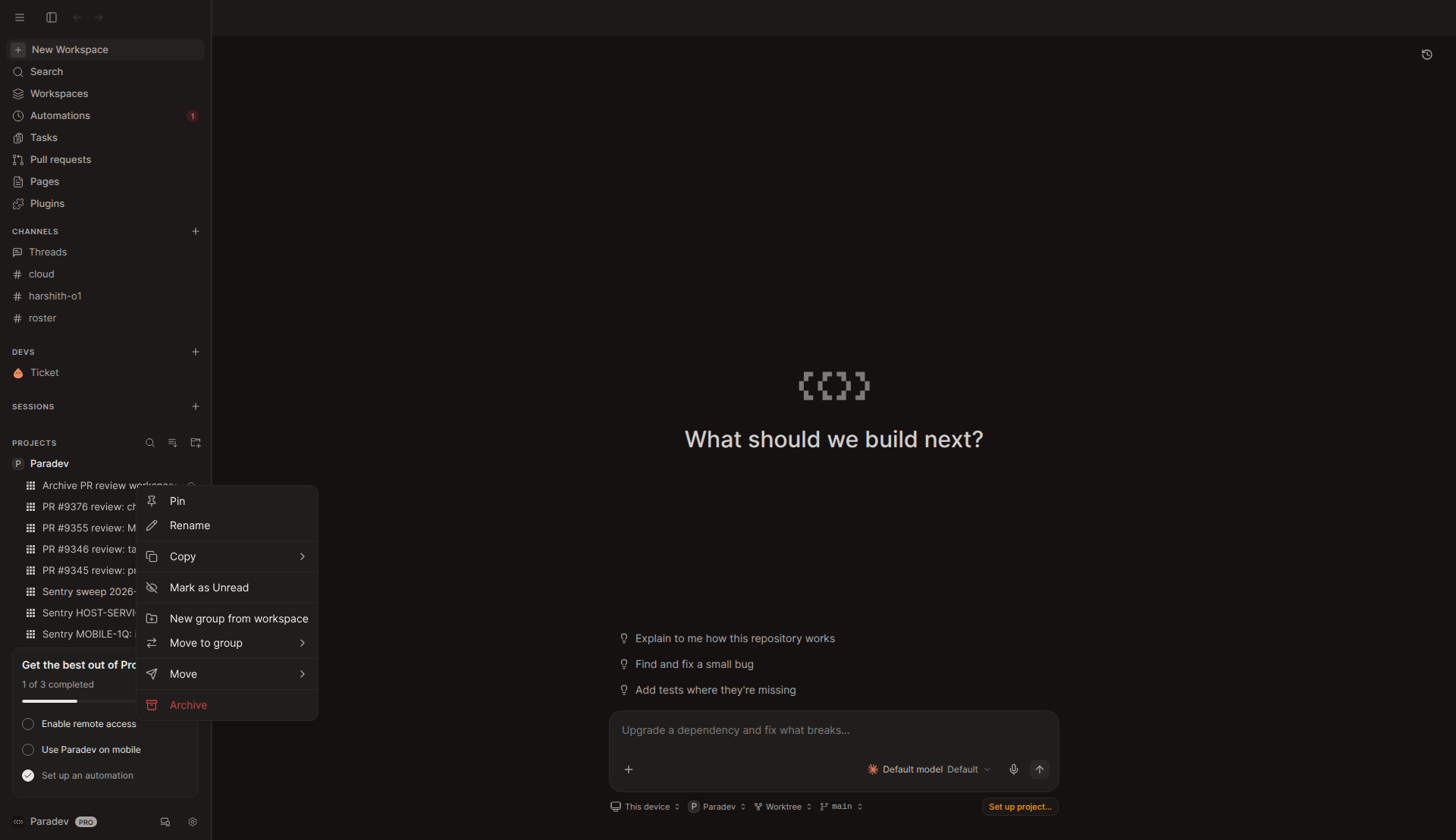
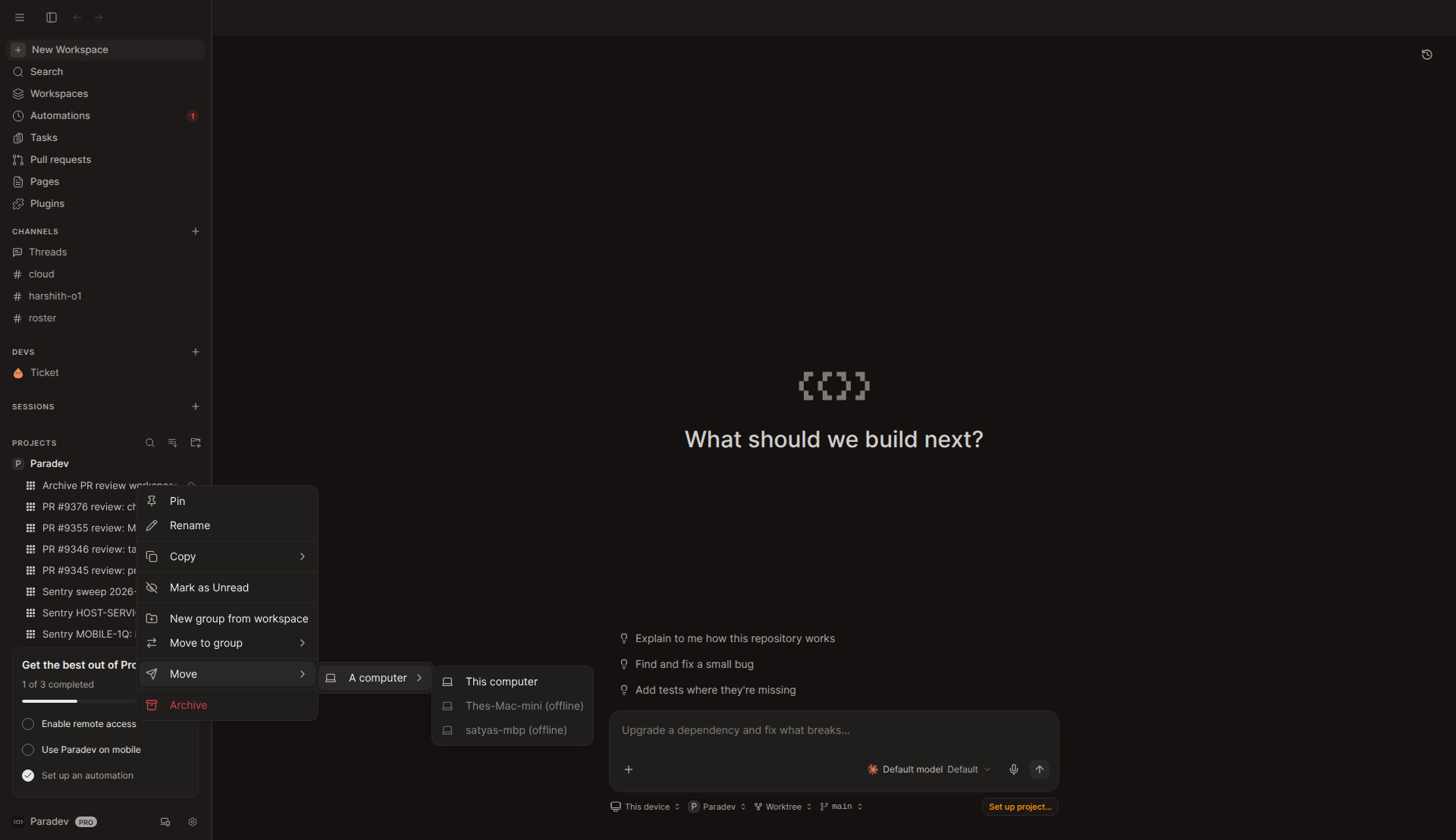
Sidebar right-click menu, local workspace
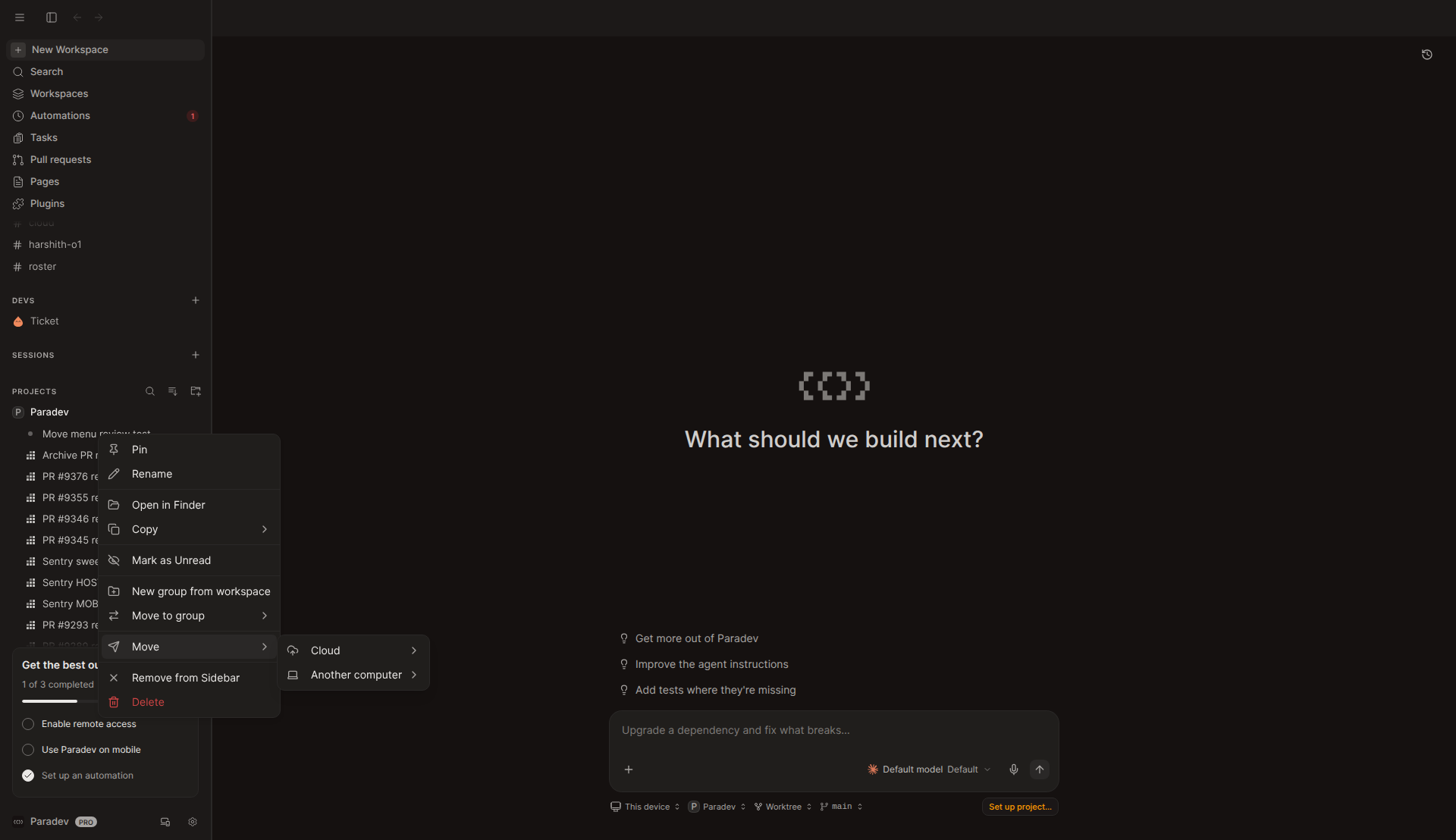
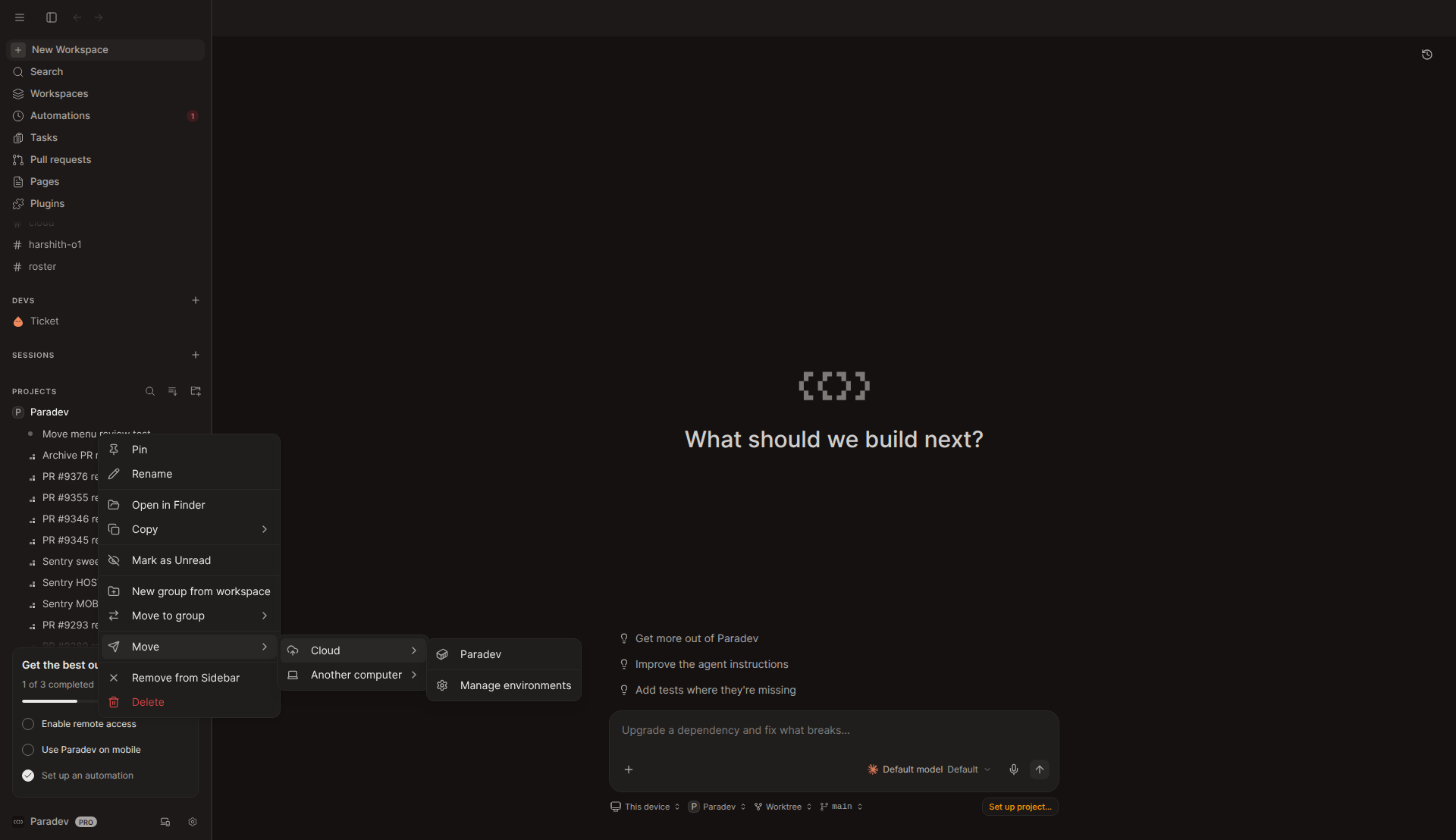
ParadevAI/router) and "ts-interview" are filtered out, as intended. "Manage environments" comes after a separator. On the first open, "Loading…" stayed for a few seconds while environment.list loaded, because the query starts only when the submenu opens.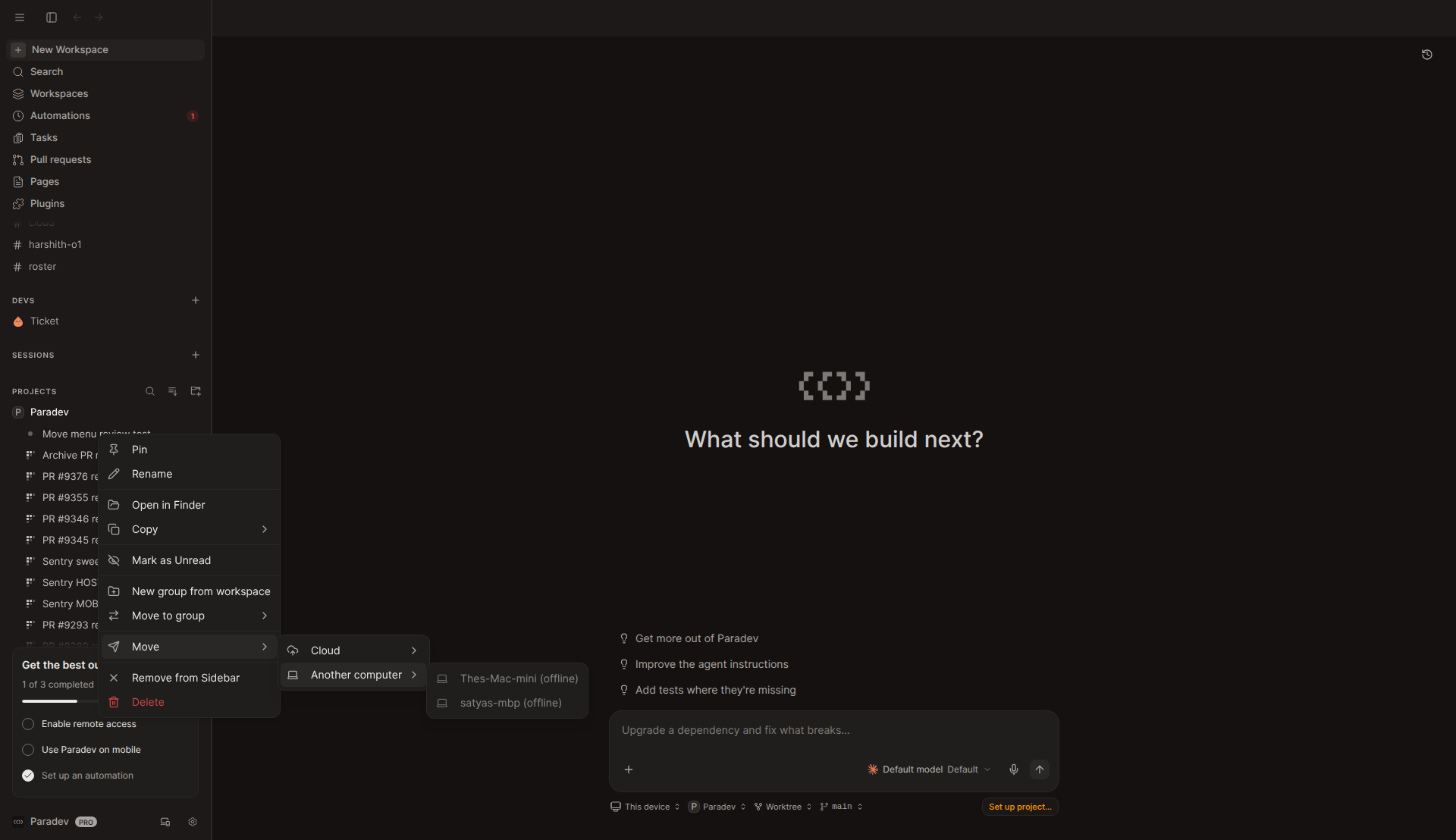
Not run
- Workspace header ⋯ menu: not captured. The toolbar renders only in the tab bar, and the scratch workspace had no open tab. I could not open one with Ctrl+T. It uses the same
WorkspaceMoveMenuwith dropdown primitives. - Starting a move and the move toast: not run. It pushes a snapshot branch to the real GitHub remote and creates a cloud box.
- Terminal session transfer (computer → cloud, cloud → computer, handoff failure, release): not run. It needs two hosts, a Claude TUI with a session, and R2 uploads. The PR also says none of these were run end to end.
- On first boot the renderer stayed blank on
#/workspace. One reload fixed it. This looks like a dev-environment issue, not part of this PR.
Questions for the author
- Is there a release-order plan for the box image versus the desktop? Without an opt-in flag, a cloud box on the new host-service will stop TUIs for every older desktop that moves a workspace out of it.
- Was dropping the "agents that are working stop first" warning intended? Would you take a confirmation that appears only when something is busy?
attachment.createUploadis added to the sandbox allowlist in the same PR as its first caller. The trpc-compat skill says to merge the API first. The client falls back to resuming on the source, so is shipping both in one PR deliberate?- After a successful move, the source TUI pane shows a dead terminal. Is that the intended state for the old workspace, or should it also show "moved to …" like chats do with
markMoved?
Test / CI notes
All at ef20b1ae4025777d0967f173ed719a36df38f510:
bun test src/trpc/router/teleport src/teleportinpackages/host-service: 8 pass, 0 failbun test .../utils/handOffTerminalsinapps/desktop: 2 pass, 0 failtsc --noEmitinpackages/host-service: clean.bun run typecheckinapps/desktop: clean (0 errors)- GitHub CI: Lint, Typecheck, Test, Sherif, Boot twice, Version Sync, Build CLI, Page storage integration, Vale and the preview deploys all pass. Production release, Publish the bundle and Real sandbox were skipped.
- The new tests cover which bindings move and the desktop handoff/retry. No test covers the
prepareWorkspacestop/resume error paths orimportTerminalSession.